Mobile-First Design for Local Service Websites
By David Nguyen · Published · 4 minutes read
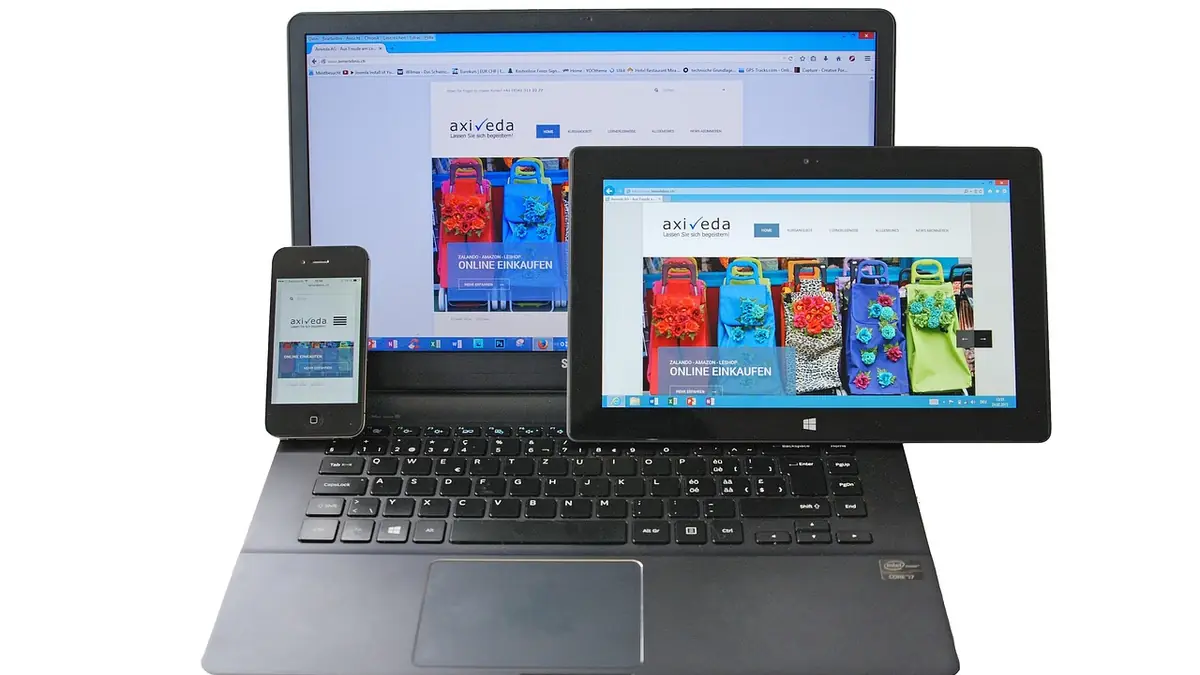
Most people looking for a plumber, electrician, or landscaper in a hurry are doing it on a phone. If your site loads slowly, hides the phone number, or makes tapping a button a guessing game, they hit the back button and call the next business. Mobile-first design is not a cosmetic upgrade; it is the difference between a lead and a lost job.
This article breaks down what mobile-first actually means for a local service website, where most small-business sites fail, and how to fix the common problems without rebuilding everything from scratch. You will find concrete ranges for performance and layout decisions, plus a comparison of realistic implementation options.
Why mobile-first is non-negotiable for local services
Local service searches skew heavily toward mobile because they often happen in the moment: a burst pipe, a dead outlet, a tree limb on the roof. Industry benchmarks generally show roughly 60–80% of local service website traffic coming from phones, and for emergency trades it often runs higher. Google also indexes the mobile version of your site first, so what a phone sees is what determines your ranking.
That combination means a desktop-only design is a ranking and conversion liability at the same time. A site that takes 6 seconds to load on a phone, or forces users to pinch and zoom to find your phone number, loses both the visitor and the search position. Mobile-first design starts with the smallest screen and works up, not the other way around.
- Google uses the mobile version of your page for indexing and ranking
- Local service traffic is typically 60–80% mobile
- Tap-to-call and tap-to-map are the primary conversion actions
- Slow mobile pages increase bounce rates before content is even seen
The layout patterns that actually convert on phones
A mobile-first local service page has one job above the fold: make it obvious what you do, where you do it, and how to contact you. That means a sticky header or floating bar with a call button, a short headline that names the service and city, and a trust cue such as "licensed and insured" or a review count. Everything else — long service descriptions, photo galleries, company history — comes after.
Avoid hamburger-only navigation for key actions. If a visitor has to open a menu to find "Call now" or "Request a quote," you are adding friction to the one thing that matters. Keep forms to three or four fields max on mobile; every extra field measurably reduces completion. Use large tap targets (at least 44–48 pixels) and leave breathing room between links so thumbs do not hit the wrong one.
- Sticky call or quote button visible at all times
- Headline includes service plus city or service area
- Forms limited to name, phone, and a short job description
- Tap targets 44–48px minimum with spacing between them
Speed budgets and real performance ranges
Mobile performance is mostly about images, scripts, and hosting. A typical local service site with a hero image, a gallery, and a couple of tracking scripts can easily balloon past 4–5 MB if images are uploaded straight from a phone camera. Compressing images and serving modern formats like WebP usually cuts page weight by 50–80% with no visible quality loss.
Set a realistic budget: aim for a Largest Contentful Paint under 2.5 seconds on a mid-range phone over 4G, total page weight under 1.5 MB, and fewer than 50 requests. Shared hosting with no caching often pushes load times to 5–8 seconds; moving to decent hosting with page caching and a CDN typically brings that into the 1.5–3 second range. Test on a throttled connection, not office Wi-Fi.
- Target LCP under 2.5s on mid-range mobile hardware
- Keep total page weight under about 1.5 MB
- Convert images to WebP and lazy-load below-the-fold media
- Enable page caching and a CDN before upgrading hosting
Local SEO details that depend on mobile rendering
Your name, address, and phone number need to be readable and tappable on a phone. The phone number should be a tel: link, and the address should link to a map app. Service area pages should be short, scannable, and include the city name in the H1 and body copy without keyword stuffing. If those pages are buried or unreadable on mobile, they will not rank or convert.
Structured data matters too, but only if it matches what users see. LocalBusiness schema with your real hours, service area, and phone number helps search engines connect your site to your Google Business Profile. If you are building out service-area content, the same mobile readability rules apply to every page — see how to write location pages that rank for the content side of that work.
Build versus template versus patching an old site
There are three realistic paths. Patching an existing site with a responsive theme and better images costs the least but has a ceiling. A modern template or lightweight builder gets you most of the way for a modest budget. A custom build gives the most control but usually runs several times the cost of a template and takes longer.
For most local service businesses under about $2M in revenue, a well-configured responsive template with a fast host and disciplined image handling is enough. The money is better spent on content, reviews, and citations than on custom code. If you are also deciding where to spend on visibility, how much local SEO costs in 2025 puts those trade-offs in context.
- Patch: responsive theme plus image compression, lowest cost
- Template: modern responsive theme on fast hosting, best value for most
- Custom: full control, highest cost and longest timeline
- Spend the savings on reviews, content, and citations
| Approach | Typical cost range | Time to launch | Mobile performance ceiling | Best for |
|---|---|---|---|---|
| Patch existing site | $0–$500 | 1–2 weeks | Moderate | Very tight budgets, temporary fix |
| Responsive template + fast host | $1,500–$5,000 | 3–6 weeks | High | Most local service businesses |
| Custom mobile-first build | $8,000–$25,000+ | 2–4 months | Very high | Multi-location or high-ticket services |
| Lightweight static site | $2,000–$6,000 | 2–4 weeks | Very high | Lead-gen sites with few pages |
| DIY builder with tuning | $300–$1,200/yr | 1–3 weeks | Moderate to high | Owners who will maintain it |
Testing and measuring mobile performance
Test on real devices, not just browser simulators. An older Android phone on a throttled connection will expose problems a desktop Chrome window never will. Check the tap-to-call link, the quote form, and the map link on an actual phone before you call the redesign done. Run a Lighthouse or PageSpeed Insights check monthly and note the mobile score trend rather than chasing a perfect number.
Track mobile-specific conversions: calls from the site, form submissions, and direction requests. If mobile traffic is high but calls are low, the problem is usually above-the-fold clarity or form friction, not the content further down. Use event tracking on the call button and form submit so you can see which pages produce leads and which just produce visits.
- Test on a real mid-range phone over cellular data
- Verify tel: links, forms, and map links on-device
- Track call clicks and form submits as separate events
- Review mobile Lighthouse scores monthly for trends
- Design for the phone first; Google indexes the mobile version and most local traffic is mobile.
- Keep the call button and a short quote form visible without opening a menu.
- Target under 2.5s LCP and under 1.5 MB page weight on a mid-range phone.
- A tuned responsive template on fast hosting is enough for most local service businesses.
David specializes in local search optimization and enjoys breaking down complex topics into easy-to-follow guides. He has worked with service-based businesses across various industries to enhance their visibility in local search results. He believes in testing strategies and sharing what works.